
Samsung Washer Error Code SC (5C): What It Means and How to Fix It
SC (sometimes shown as 5C) on a Samsung washer means the machine couldn’t drain the tub in time, not that there’s a suds problem. Samsung’s own troubleshooting guidance points to a clogged drain filter or a blocked drain hose as the usual cause, and clearing both fixes it in under fifteen minutes more often than not.
What SC (5C) Actually Means
Samsung washers track how fast water leaves the tub during the drain step. If the level hasn’t dropped enough by the time the cycle expects it to, the machine stops mid-cycle and shows SC (some panels display 5C or “Check the drain system”). It’s a protective stop, not damage to the motor or drum. The washer is telling you water isn’t leaving fast enough, full stop, and it won’t move on until that changes.
What Causes It
- A clogged drain pump filter. By far the most common cause. Lint, coins, hair clips, buttons, pet hair, it all collects there over time and slows drainage.
- A kinked or crushed drain hose behind the machine, usually from the washer getting pushed back too far against the wall.
- A drain hose at the wrong height. Too low and water siphons back in. Too high and the pump works harder than it’s rated for.
- A hose looped or bent where it connects to the standpipe or sink drain.
- A failing drain pump. Less common, but it happens when the filter and hose both check out clean.
How to Clear SC Safely
- Power off the washer and unplug it, or hold the Power button per your model’s instructions.
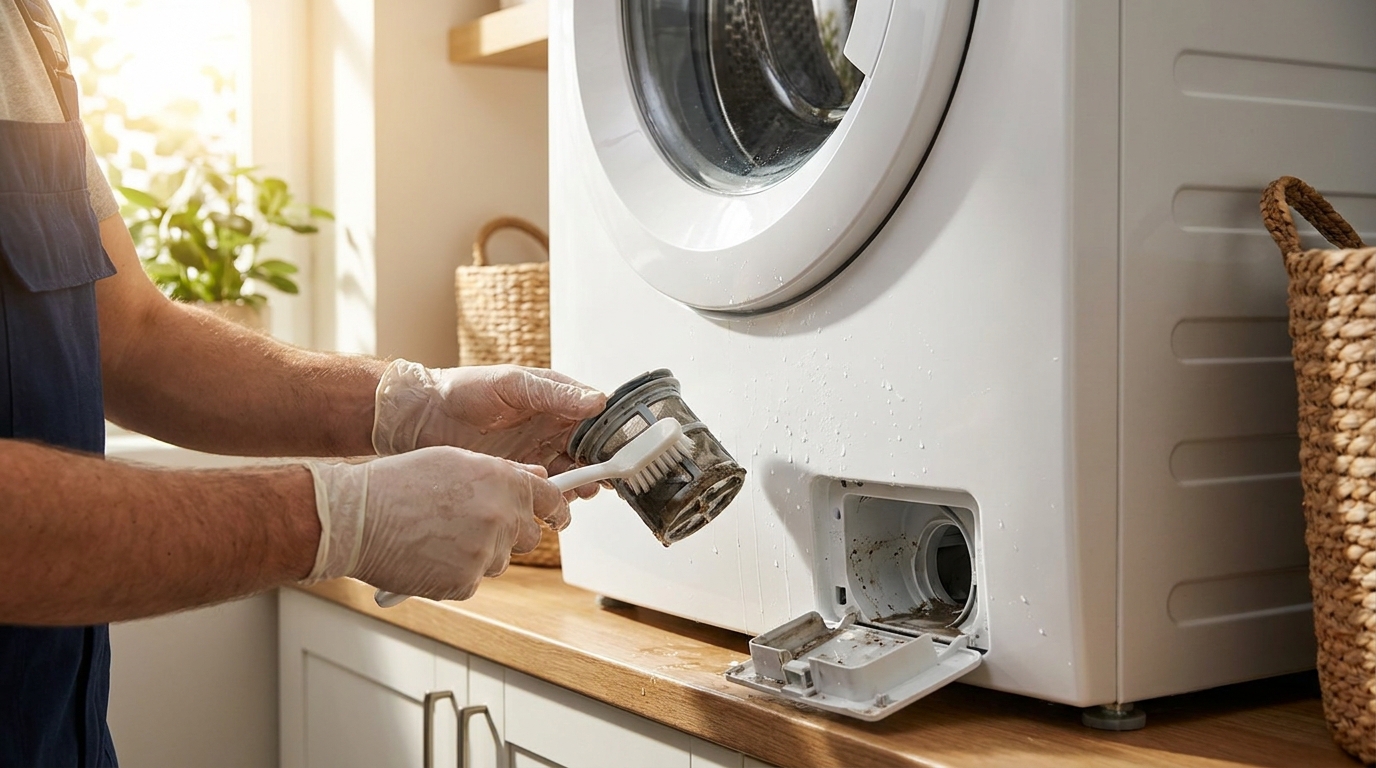
- Find the small drain filter access door, usually a flap on the lower front right corner.
- Put a towel or shallow pan underneath. Open the door slowly. Water still in the tub will come out.
- Turn the filter counterclockwise, pull it out, and clear off any lint, hair or small objects. Rinse it under warm water.
- Reinsert the filter, turn it clockwise until it locks, close the access door.
- Pull the washer out and check the drain hose for kinks, crush points, or loops. Straighten it and reconnect with a few inches of clearance from the wall.
- Plug the washer back in and run a drain or spin cycle to confirm SC doesn’t come back.
If SC returns right after a thorough filter and hose check, the block is probably deeper in the pump housing, or the pump itself is starting to go. Either way, that’s a job for a technician.
Why This Shows Up More Often in Miami Homes
Condo and townhouse laundry closets often route the drain hose through longer or tighter runs than a typical house setup, so kinks and wrong-height installs turn up more here than they should. Frequent loads of towels, bedding and pet hair, which is pretty normal for South Florida households, also clog the drain filter faster than average. Neither cause is really about the climate itself, but put them together and it’s why this code shows up in our service calls more than the manual would suggest.
Frequently asked questions
Can I keep washing with SC showing?
Not really. The washer won’t complete a drain or spin step, so clothes sit wet, and standing water can start to smell within a day.
Will unplugging and restarting the washer clear the SC code?
It clears the display, not the cause. If the filter or hose is still blocked, SC just comes back the next time a drain step runs.
Is SC covered under warranty?
Usually not. It’s almost always a maintenance issue with the filter or hose, not a manufacturing defect, so it tends to fall outside warranty terms. Check your specific documentation to be sure.
How do I know if it’s the pump and not just a clog?
If the filter’s clean, the hose is clear and straight, and SC still comes back, that points to the pump. A technician can test it directly instead of you guessing.
Need it looked at?
If SC keeps returning after you’ve checked the filter and hose, we can test the pump and tell you exactly what’s failing. See washer repair in Miami or Samsung appliance repair, and call (786) 733-9343 for same-day service.
Samsung publishes official troubleshooting steps for this code on its support site.